Showing posts with label Dashboards. Show all posts

Monday, May 19, 2008

PivotLink - Dasboard and Metrics Reporting


Connecting business users with their informationInformation drives smarter decisions. PivotLink breaks the barrier between you and your information for smarter and faster decisions. With dashboards and immediately accessible underlying data, PivotLink makes an impact on your business, today.

Move beyond spreadsheet reporting Many PivotLink customers upgraded from spreadsheets that were becoming difficult to manage and hard to trust as their businesses scaled. PivotLink is now their business intelligence platform.

Evolve from traditional business intelligence PivotLink's speed, flexibility and ease-of-use enables it to stand apart from traditional business intelligence. PivotLink is empowering because it makes available all of your information, metrics and calculations at your fingertips. Query any of your data right from your desktop Drill into your data all the way down to your most detailed transaction View results with interactive charts and dashboards with your exact KPIs Run intuitive, unconstrained slicing and dicing of metrics for truly custom reports Integrate multiple data sources with flexibility to address dirty and missing data

for more information click on the link below -
http://www.pivotlink.com/home/solutions

Wednesday, February 6, 2008

Dashboards and Scorecards

I found a good article by Wayne W. Eckerson on Best Pracices on deploying Dashboards and Scorecards.

Here is the link -
http://www.microsoft.com/downloads/thankyou.aspx?familyId=c2eacd44-f0b5-46b9-a91a-61acb3a5ec53&displayLang=en

Monday, February 4, 2008

Dashboard for sharepoint

This bundle gives you all you need to turn your collaborative portals into visually appealing dashboards and scorecards - quickly and easily. With powerful charts and an assortment of gauges and dials, you can dramatically visualize your KPIs and other key corporate data within your own portal, all without Visual Studio!

Dundas Chart for SharePoint - Dundas Chart for SharePoint gives you charting technology from the industry leader, to add highly customizable, stunning charts to your SharePoint portal.

Dundas Gauge for SharePoint - Now you can get Dashboards and Scorecard features in your reports by adding easy to interpret Gauges, Dials and Knobs and display data that simply can't be shown effectively in a chart.


for more information click on the following link

http://www.dundas.com/Technologies/SharePoint/DashBundle.aspx

Monday, November 5, 2007

Process tool by INTRANET DASHBOARD

Process Tool
The Process Tool is an application that allows you to create processes by grouping any number of webpages together in a logical, controlled flow. You can also track users through the processes created. For example, you may need to review who has read your new workplace safety manual.

Functionality
Create process workflows quickly and easily
Add, edit and delete steps in a process
Monitor the progress of users throughout the process for compliance tracking. Administrators and users can be automatically contacted on completion of a process
Powerful admin interface allows for processes to be subsite specific or company wide

Tutorial
This animation gives you a step by step guide for using the Process Tool application. The tutorial is aimed at first time users that need an overview of the application.
Play (2.1 Mb)


For more information on INTRANET DASHBOARD TOOLS

Monday, September 17, 2007

Business Dashboard by Nimsoft

The NimBUS Dashboard Gallery demonstrates the creative use, and flexibility of the NimBUS Dashboard Design Toolkit.

For more information click on the link below -
http://www.nimsoft.com/solutions/dashboards/gallery.php

The gallery shows examples of NimBUS Executive and Business Dashboards that have been created by Nimsoft customers, Nimsoft Partners, and or Nimsoft in-house staff.


Wednesday, September 5, 2007

Web-based Business Service Dashboards


The assystBSM Web Client delivers an integrated view, or "Dashboard" representing real-time and historical end-to-end Business Service availability, performance, security, and end-user experience. Regardless of the underlying technologies and management platforms deployed throughout your organization, assystBSM provides vital service health information direct to your Web browser, providing support staff with the ability to rapidly identify service impacting technology failures, understand their business impact, and zoom in to the failing object level. Immediate access to tools, online help, procedures, and automation scripts is provided via context sensitive launching to restore service fast.


for more information click on the link below -


Monday, August 6, 2007

KPI’s in Microsoft Office SharePoint Server 2007

Key Performance Indicators (KPI’s) are metrics used to quantify objectives to reflect an organization's strategic performance. See the article at http://en.wikipedia.org/wiki/Key_performance_indicators for more information about KPIs.
Microsoft Office SharePoint Server 2007 has built in features that allow you to manage and display KPI information in various ways. KPI indicators can be derived from a SharePoint list, an Excel Workbook, data in Microsoft SQL Server 2005 Analysis Services and manually entered information. I'm going to show you how to create a KPI list and manually populate it with data.
Lets create a Sales Analysis KPI list and see what results can be displayed. To get started, choose a site that's currently not in production use, such as a private sub-site.

for more information goto - http://msd2d.com/Content/Tip_viewitem_03NoAuth.aspx?id=6baa8ed2-40b2-4ed4-b7c7-c7a646ca92d1&section=Sharepoint

Microsoft Dynamics CRM 3.0

What is Microsoft Dynamics CRM Analytics Foundation?
Microsoft Dynamics CRM Analytics Foundation is a business intelligence solution accelerator for Microsoft Dynamics CRM 3.0 customers and partners. With Analytics Foundation, executives can better track and manage business performance with dashboards and KPIs. Managers and employees can create reports quickly and make better decisions. Sales, marketing, and service employees can identify and act on new opportunities to grow revenue and improve business efficiency with predictive analytics. Analytics Foundation includes an OLAP cube (UDM) built on the default Microsoft CRM 3.0 schema, dashboards for sales and service, and predictive analytics such as product recommendation, lead potential rating, marketing list generation, and more. Analytics Foundation leverages data management and analytics technologies from the Microsoft Business Intelligence suite of products including SQL Server 2005, SharePoint, Business Scorecard Manager, Excel, and PerformancePoint Server 2007 (when available).

Service dashboard in SharePoint with scorecards, KPIs, and supporting reports

Ad-hoc reporting of Microsoft Dynamics CRM 3.0 data in Excel 2007. The spreadsheet is connected to Analytics Foundation OLAP cube (UDM).

click on the link below
http://msdn2.microsoft.com/en-us/library/aa972194.aspx

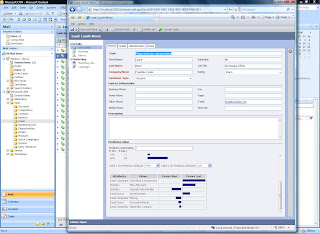
Predictive lead potential rating in Microsoft Dynamics CRM 3.0. Automatic scoring of leads is based on their likelihood to convert to successful opportunities.


Thursday, August 2, 2007

Xcelsius dashboards

Crystal Xcelsius and Crystal Xcelsius Workgroup are the new standard in interactive data visualization software.
With Crystal Xcelsius, you can transform your complex data into visually stunning dashboards, financial calculators, forecast reports, and much more.


*Point-and-click ease. Crystal Xcelsius' intuitive interface, including pre-built components, skins, maps and charts, and one-click export, make it easy for non-technical users to develop business dashboards in less than an hour.


*Custom graphics and interactivity allow you to develop and present compelling yet easy-to-understand financial reports, sales forecasts reports, and more. All this can be done via the Web, MS Office, MS SharePoint, Adobe PDF, and any environment that supports Flash.


*Visual modeling. Sliders, gauges, filters, numerical input tools, and other visual components allow you to quickly evaluate multiple "what-if" scenarios in real-time, with the click of a mouse.
*Platform independence.